


Clicksy™ | Snap Digital Cam
Clicksy™ | Snap Digital Cam
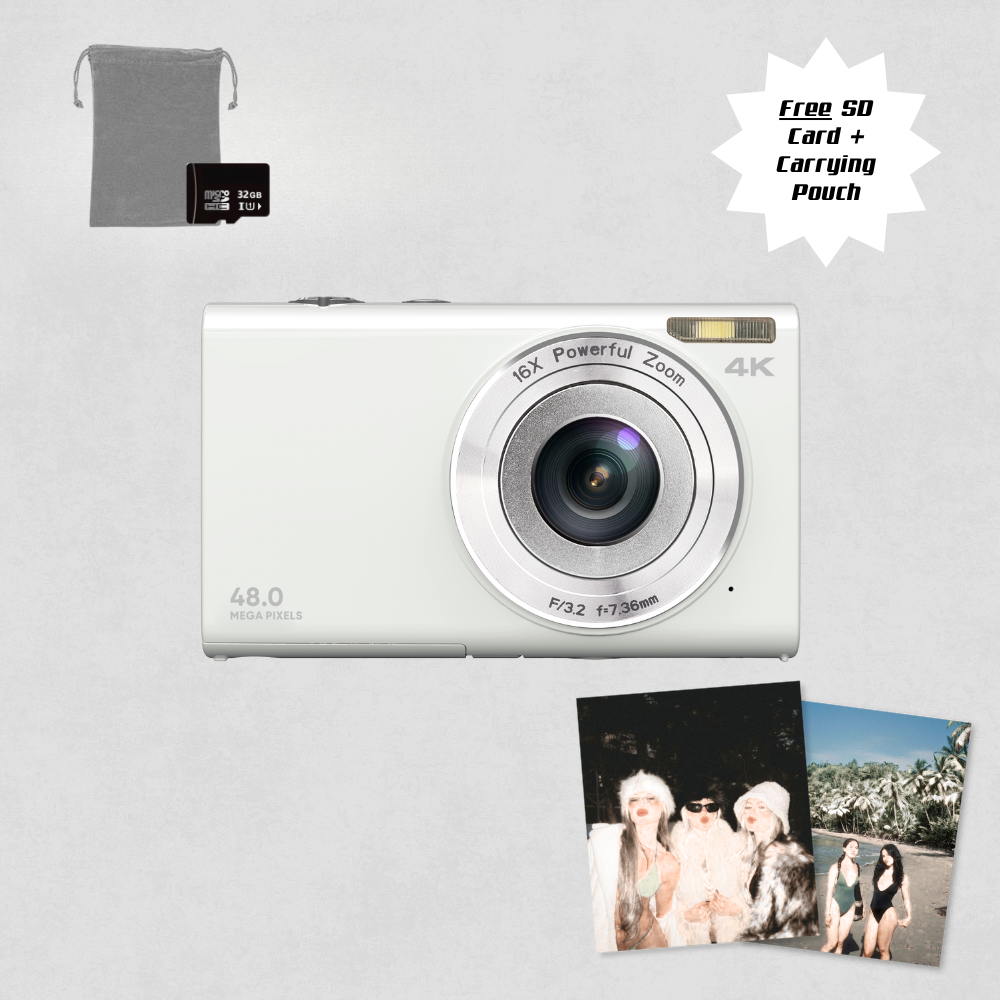
Capture nostalgia with every snap using our pocket-sized digi cam, inspired by 2000s tech.
 Authentic digi-cam look
Easy transfers for instant sharing
Portable for quick summer flicks
Includes Free 32GB SD Card + Case + USB charging cable
Couldn't load pickup availability

Clicksy™ | Snap Digital Cam
Product Overview
Product Overview
Capture pics that standout! Introducing the perfect mini digital camera for capturing nostalgic memories with your friends in a grainy early 2000's style ✨
Product Specifications
Product Specifications
- Maximum photo resolution: 48MP.
- Video recording resolution: 4K.
- Data interface: USB 2.0.
- Material: high quality plastic, and long lasting electronic components.
- The product is rechargeable.
- The package includes: the digital camera, a carrying pouch, a camera lanyard, an USB cable, a battery, a charge, an user manual, and a 32GB TF card.
Shipping and returns
Shipping and returns
We offer FREE Worldwide Shipping!
Due to the influx of orders from our ongoing sale, there will be a slight delay in dispatch. Rest assured, all orders will be shipped within a 24-48 hour timeframe. Depending on your geographic location, the delivery may take approximately 5-7 business days.
Although we offer shipping to all countries, a few islands are excluded from our delivery area. If your country is available during checkout we ship to your country. We also provide standard international tracked shipping at no additional cost on all orders.
Returns
All returns must be postmarked within fourteen (14) days of the delivery. All returned items must be in new and unused condition, in the original packaging. See our return policy for more info

Instant main character energy. Every pic looks like a pinterest inspiration—no overthinking, just pure vibes.


Your Phone’s Camera Is Giving… Meh. 🥱
Let's face it - pictures from your phone are just boring

Meet Your New Bestie
This isn’t just a camera—it’s the authentic upgrade your feed has been waiting for!
-

Cuteness (& nostalgia) comes in small packages
-

Film-like glow without the hassle.
-

Finally, photos that feel like you.


Why Digital Cameras Are Everywhere Again
Celebs, influencers, and your cool friend who’s always ahead—they’re all bringing back digital cameras for a reason.


Why Glamentine™?
| Glamentine | Others | |
|---|---|---|
Authentic, unfiltered vibes |
||
Feels like a real memory, not content |
||
No overthinking angles & edits |
||
Convenient & always with you |
||
The camera that's actually trending |

Snap Effortlessly
No need to scroll for the perfect filter. Just point, shoot, and let the camera do the magic.
Seamlessly get your pics
Move your pics to your phone in seconds with our adapter.

Show the world
No edits needed—just upload & watch the reactions roll in.
Groupchat Approved ✅
-

★★★★★
Okay but WHY does every pic come out looking like a perfect throwback??
I took this on a night out, and every photo was actually usable (which never happens lol). It’s my new fave accessory.
-

★★★★★
Did I need this? Maybe not. Am I so glad I got it? YES.
This little cutie makes everything feel so much more real. No over-sharpening, no weird AI edits—just straight vibes. 10/10 recommend.
-

★★★★★
Obsessed. My phone camera was just NOT it anymore
Makes me feel like I’m in a 2008 Tumblr blog in the best way. If you love a good aesthetic, just get it.
-

★★★★★
Love the authentic vibe!!
I swear my friends steal this camera every time we go out. It’s just so easy—no stress about angles, no overthinking. Pics come out effortlessly cool, and I actually love looking back at them.


Tag @glamentine to get featured




Frequently Asked Questions
What's in the box?
What's in the box?
The package includes: the digital camera, a carrying pouch, a camera lanyard, an USB cable, a battery, a charge, an user manual, and a 32GB TF card.
Do I need to use a memory card?
Do I need to use a memory card?
If you plan to store extra photos (100 - 5,000) we recommend using the 32GB Micro SD card that comes free with your purchase.
What's the camera resolution?
What's the camera resolution?
The camera captures photos at up to 48 megapixels (48MP) resolution and record videos in ULTRA HD 1080p resolution, ensuring high-quality images and footage.
How to transfer photos/videos?
How to transfer photos/videos?
To transfer images from our Snap'd Digital Camera to your device, follow these simple steps:
- Connect the camera to your computer using the provided USB cable.
- Once connected, your computer should recognize the camera as a removable storage device.
- Open the folder containing the images on your camera.
- Select the images you want to transfer and copy them to a folder on your computer.
- Once the images are copied, you can then transfer them to your chosen device using your preferred method, such as emails, cloud storage, or a USB flash drive.
How to setup and snap?
How to setup and snap?
- Insert the rechargeable Li-lon vattery into the designated compartment in the camera.
- Close the battery compartment securely.
- Power on the camera by pressing the power button.
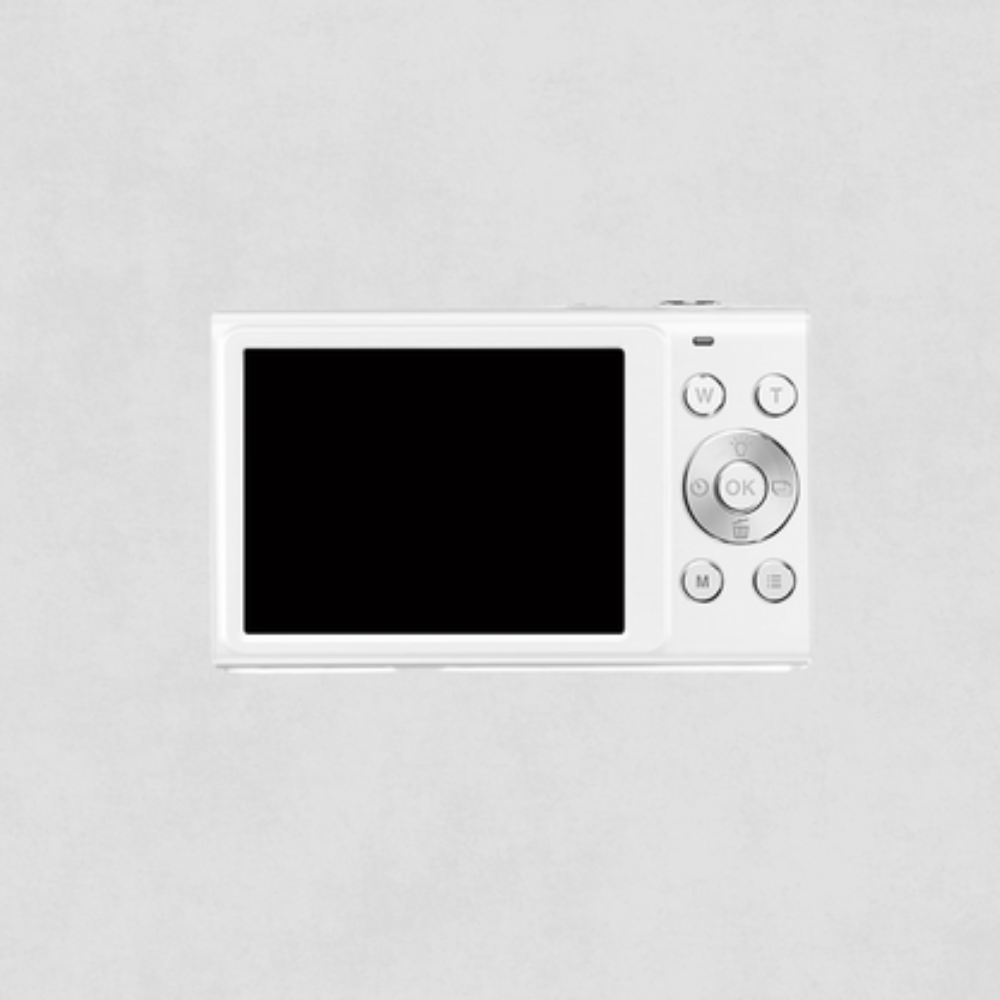
- Frame your shot using the viewfinder or LCD screen.
- Adjust settings such as zoom and focus using the control buttons
- Press the shutter button halfway to focus, then fully to capture the photo.
- Review your photo on the LCD screen or viewfinder.